Website Security Best Practices: How to secure your website
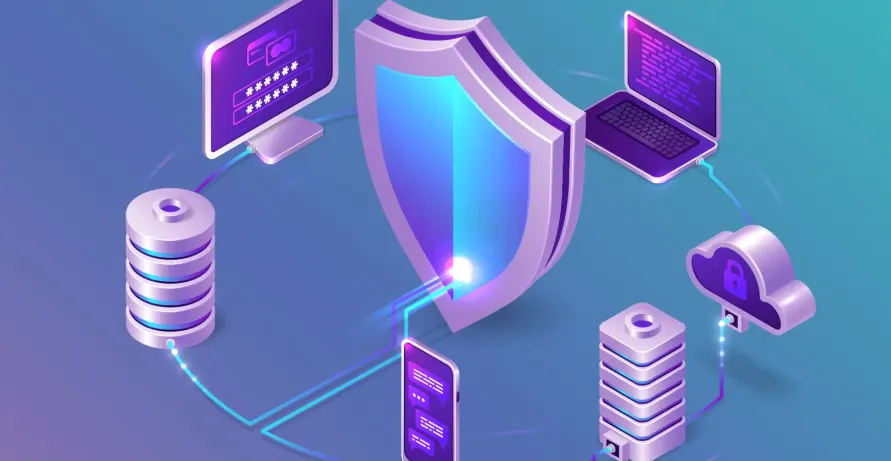
Website security is no longer optional. Every business website, whether small or enterprise-level, faces constant threats from cybercriminals. From data breaches and malware to phishing and ransomware attacks, the risks are growing each year.
Securing your website requires a proactive approach. It involves protecting your web applications, hosting environment, user accounts, and sensitive data. It also requires having a recovery plan in case something goes wrong.
Even large enterprises with dedicated cybersecurity teams experience attacks. Smaller businesses are often more vulnerable because they lack strong recovery systems. That is why prevention and preparation must go hand in hand.
This guide explains practical website security best practices to help protect your business.
Why Website Security Matters
A secure website protects:
- Customer data
- Financial transactions
- Business reputation
- SEO rankings
- Operational continuity
A single breach can result in downtime, lost revenue, legal issues, and damaged trust. Search engines may also flag compromised websites, which impacts visibility and traffic.
Strong security reduces risk and builds user confidence.
Keep Software and Security Patches Updated
Outdated software is one of the most common causes of website breaches.
Many attacks target vulnerabilities in:
- Content Management Systems
- Plugins and extensions
- Themes and templates
- Server software
Popular CMS platforms such as WordPress, Joomla, and Magento frequently release security updates.
Best Practice
- Enable automatic updates where possible
- Monitor vendor security announcements
- Remove unused plugins and themes
- Apply patches immediately after release
Delaying updates increases exposure to known vulnerabilities.
Use Strong Passwords and Multi-Factor Authentication
Weak passwords make websites easy targets.
Password Best Practices
- Use long passwords with uppercase and lowercase letters
- Include numbers and symbols
- Avoid personal information
- Change passwords regularly
Enable Multi-Factor Authentication
Multi-factor authentication adds another verification layer, such as:
- One-time passcodes
- Authentication apps
- Biometric verification
Even if credentials are stolen, MFA prevents unauthorized access.
Change Default Settings Immediately
Default usernames and passwords are publicly known.
After installing new software or hosting environments:
- Change admin usernames
- Update default passwords
- Modify default database prefixes
- Disable unnecessary features
This prevents attackers from exploiting common configurations.
Restrict Administrative Access
Not everyone needs admin privileges.
Access Control Best Practices
- Grant access based on role
- Remove access immediately when employees leave
- Audit user permissions regularly
- Provide temporary access only when necessary
Limiting privileges reduces internal and external risk.
Install SSL and Use HTTPS
HTTPS encrypts data transferred between users and your website.
This protects:
- Login credentials
- Payment information
- Personal data
- Medical and financial records
SSL certificates are essential for e-commerce and secure forms.
Search engines also favor HTTPS websites in rankings.
Backup Your Website Regularly
Backups are critical for recovery.
If your site is hacked, corrupted, or encrypted by ransomware, backups allow quick restoration.
Backup Best Practices
- Schedule automatic backups
- Store backups separately from your hosting server
- Keep offline copies
- Test restoration processes regularly
Never rely on a single backup location.
Use a Web Application Firewall (WAF)
A Web Application Firewall protects against common threats such as:
- SQL injection
- Cross-site scripting
- Malicious bots
- Brute-force attacks
A WAF filters incoming traffic before it reaches your website.
This is especially important for:
- E-commerce platforms
- SaaS applications
- Membership portals
Use a Content Delivery Network (CDN)
A CDN improves performance and security.
Security benefits include:
- DDoS protection
- Traffic distribution
- Reduced server overload
- Faster response times
During traffic spikes or attacks, a CDN helps keep your site operational.
Limit Sensitive Data Collection
Collect only the information your business truly needs.
Data Protection Best Practices
- Encrypt stored data
- Organize and audit databases
- Delete unnecessary records
- Create a clear privacy policy
- Comply with data protection laws
Reducing stored sensitive data lowers risk.
Train Employees on Cybersecurity Awareness
Website security is not just technical. Human error is a major cause of breaches.
Employees should understand:
- Phishing threats
- Password management
- Secure file handling
- Data protection regulations
Regular cybersecurity training improves overall defense.
Prepare an Incident Response Plan
Even with strong defenses, attacks can happen.
An effective recovery plan should include:
- Clear response roles
- Communication procedures
- Backup restoration steps
- Security review after recovery
Test the plan regularly so your team knows what to do.
Quick response reduces downtime and financial damage.
Final Takeaways
Website security requires continuous effort.
To secure your website:
- Keep all software updated
- Use strong passwords and MFA
- Restrict administrative access
- Enable HTTPS
- Backup regularly
- Install a WAF and CDN
- Limit stored sensitive data
- Train employees
- Prepare a recovery plan
Security is not a one-time task. It is an ongoing process.
How Anchor Points Can Help
Anchor Points builds secure, scalable, and compliance-ready websites for businesses across industries.
Our website security services include:
- Security audits and vulnerability assessments
- Secure web application development
- SSL and HTTPS implementation
- Firewall and CDN configuration
- Role-based access control systems
- Data encryption and compliance alignment
- Continuous monitoring and incident response planning
We embed security into every stage of web development to protect your business long term.
Frequently Asked Questions
Why is website security important for small businesses?
Small businesses are frequent targets because attackers assume weaker defenses. A single breach can severely impact operations and reputation.
How often should I update my website software?
Updates should be applied as soon as they are released, especially security patches.
Is HTTPS mandatory for all websites?
Yes. HTTPS protects data and improves SEO rankings. It is essential for trust and compliance.
What is the difference between a firewall and a CDN?
A firewall filters malicious traffic. A CDN distributes traffic globally and can provide DDoS protection.
Can Anchor Points secure an existing website?
Yes. We provide security audits, upgrades, and hardening services for existing websites.