How to Automate Business Operations with Custom Software?
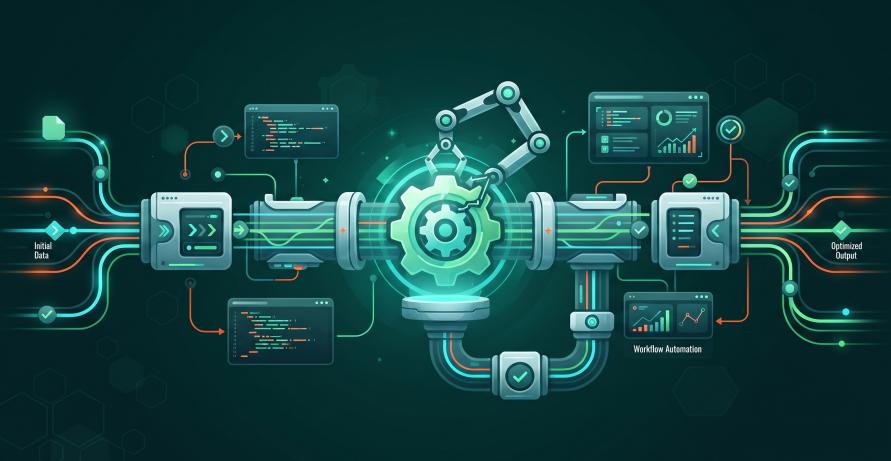
Manual processes slow businesses down. They increase errors. They limit scalability.
As companies grow, spreadsheets and disconnected tools become difficult to manage. Repetitive workflows waste time and reduce productivity.
Custom software automation solves this problem. It streamlines operations, improves accuracy, and supports long-term growth.
This guide explains:
- What business process automation means
- Which workflows should be automated
- Why custom software works better than generic tools
- How Anchor Points builds scalable automation systems
Why Business Automation Matters Today
Modern businesses operate in fast-moving markets. Efficiency directly impacts profitability.
Manual tasks create:
- Delays
- Data inconsistencies
- Human errors
- Poor visibility
- Operational bottlenecks
Automation replaces repetitive work with reliable, rule-based systems.
Businesses that adopt workflow automation often see:
- Faster daily operations
- Lower operational costs
- Fewer errors
- Real-time reporting
- Improved customer experience
- Higher employee productivity
Automation is no longer only for large enterprises. Mid-sized businesses can now implement scalable custom solutions.
What Is Custom Software Automation?
Custom software automation is purpose-built software designed around your unique workflows.
Unlike off-the-shelf tools, custom systems:
- Adapt to your business processes
- Integrate with existing platforms
- Scale as operations grow
- Eliminate unnecessary workarounds
Custom automation can:
- Connect CRMs, ERPs, and accounting tools
- Replace manual data entry
- Trigger actions automatically
- Generate real-time analytics
- Standardize cross-department workflows
Because it aligns with your operations, it becomes a long-term digital asset.
Business Processes Best Suited for Automation
Not every task should be automated. The best candidates are:
- Repetitive
- Rule-based
- Time-consuming
- Error-prone
1. Operations and Workflow Management
Automate:
- Approvals
- Task assignments
- Internal handoffs
- Status tracking
This reduces delays and improves accountability.
2. Finance and Accounting
Automation supports:
- Invoice generation
- Payment reminders
- Expense tracking
- Reconciliation
- Financial reporting
This improves accuracy and reduces compliance risk.
3. Sales and CRM Automation
Automate:
- Lead routing
- Follow-ups
- Pipeline tracking
- Deal status updates
- Performance dashboards
This ensures no opportunity is missed.
4. Inventory and Supply Chain
Automation improves:
- Stock tracking
- Reorder alerts
- Vendor coordination
- Shipment tracking
- Demand forecasting
This reduces stockouts and overordering.
5. HR and Employee Management
Streamline:
- Onboarding workflows
- Attendance tracking
- Payroll preparation
- Performance reviews
This reduces administrative overhead.
6. Customer Support
Automation can manage:
- Ticket routing
- SLA monitoring
- Status updates
- Escalations
- Reporting
This improves service speed and consistency.
Why Off-the-Shelf Automation Tools Fall Short
Many businesses start with generic automation platforms. These tools work for simple tasks but struggle as complexity increases.
Common limitations include:
- Rigid workflows
- Limited integrations
- Manual workarounds
- Data silos
- Subscription cost increases
- Poor scalability
Custom software eliminates these limitations. It aligns directly with your operational structure.
Key Components of Successful Business Automation
Automation must be strategic. Poor planning leads to failure.
Process Mapping
Understand how work currently flows. Do not automate broken systems.
System Integration
Connect CRMs, ERPs, HR systems, and third-party tools into one unified workflow.
Data Centralization
Create a single source of truth for reporting and decision-making.
Security and Access Control
Enforce:
- Role-based permissions
- Audit trails
- Data encryption
- Compliance standards
Scalability Planning
Design systems that support growth without major redevelopment.
Real-World Automation Example
A U.S.-based distribution company partnered with Anchor Points to automate order processing and inventory management.
Before automation:
- Orders were entered manually
- Inventory was tracked in spreadsheets
- Reporting was delayed
After implementation:
- Order processing time dropped significantly
- Inventory accuracy improved
- Errors decreased
- Reporting became real-time
- Staff productivity increased
The company scaled operations without increasing administrative staff.
Measuring Automation ROI
Automation success should be measured.
Track:
- Time saved per process
- Error reduction
- Operational cost savings
- Faster turnaround time
- Customer satisfaction improvements
- Increased capacity
Custom dashboards make these insights visible in real time.
Common Automation Mistakes to Avoid
Avoid these pitfalls:
- Automating inefficient processes
- Overengineering simple tasks
- Ignoring user adoption
- Skipping integration planning
- Underestimating change management
Phased deployment reduces risk and improves adoption.
Automation as a Growth Strategy
Automation is not only about efficiency.
It enables:
- Scalable growth
- Predictable operations
- Faster decision-making
- Competitive advantage
- Operational resilience
When automation aligns with strategy, it becomes a core part of digital transformation.
How Anchor Points Supports Business Automation
Anchor Points designs and builds custom automation platforms tailored to real business workflows.
Our approach includes:
- Process discovery and analysis
- Architecture design
- Custom development
- System integration
- Testing and deployment
- Continuous optimization
We ensure automation improves efficiency without disrupting operations.
Final Takeaways
Automating business operations with custom software:
- Reduces manual errors
- Improves operational efficiency
- Enhances data visibility
- Lowers long-term costs
- Supports sustainable growth
Generic tools may offer short-term fixes. Custom automation builds long-term value.
If your business still relies on spreadsheets and manual workflows, it may be time to modernize.
FAQs
Q1. What is custom software automation?
It is purpose-built software designed to automate a company’s specific workflows and operations.
Q2. Is custom automation expensive?
Initial investment may be higher, but long-term savings and scalability typically provide strong ROI.
Q3. How long does automation implementation take?
Many projects deliver measurable results within weeks using phased deployment.
Q4. Can automation integrate with existing systems?
Yes. Custom solutions are built to connect with your current platforms and databases.
Q5. How does Anchor Points approach automation projects?
We focus on operational efficiency, system integration, security, and long-term scalability.